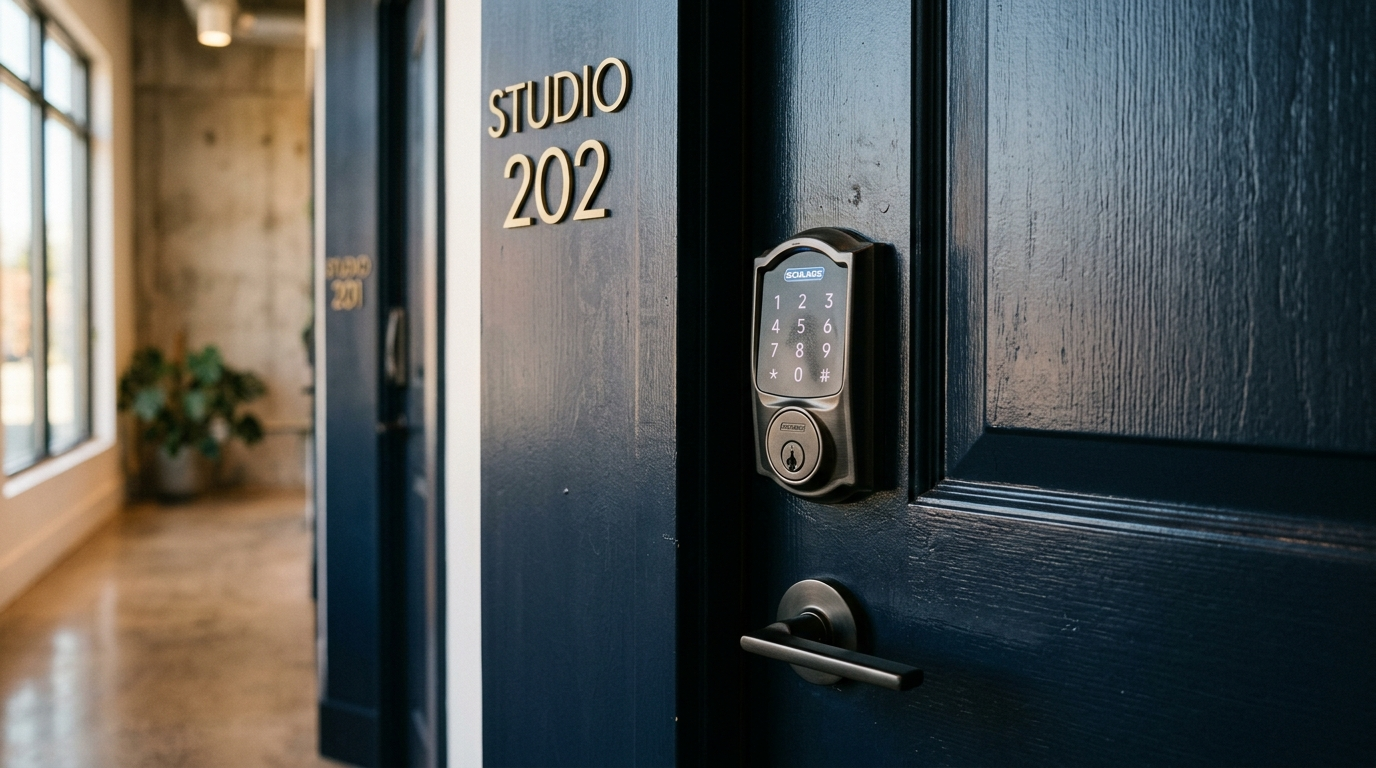
Why a Smart Lock Changes Everything
The single biggest headache of renting your suite to other pros has always been the same thing: the door. With physical keys, you are meeting every pro to hand off a key, worrying about copies getting made, chasing down keys people forget to return, and rekeying the whole thing every time something goes sideways. That is not passive income. That is a part-time job you did not sign up for.
A smart lock erases all of it. Connected to Cabas through Seam, it generates a unique temporary code for every single booking. The code goes to the pro by text, turns on right before their booking, and expires right after. No keys. No coordination. No driving over to let someone in.
This one piece of hardware is what makes suite rental truly hands-off. Without it, you are tied to every booking. With it, the pro books, gets a code, works, and leaves, and you never have to be involved.
A $150 lock is the only hardware between you and fully passive suite income.
How Smart Locks Work With Cabas
Cabas talks to your lock through Seam, a technology platform that connects to the major smart lock brands to generate and manage codes remotely. Here is the whole flow, so you know exactly what is happening.
You install a compatible smart lock on your suite door and connect it to your Wi-Fi through the lock maker's app. When you create your listing on Cabas, you link your lock through Seam. That is a one-time authorization that lets Cabas program temporary codes on your lock.
When a pro books, Cabas tells Seam to create a temporary code. Seam programs it into your lock remotely over Wi-Fi. Cabas texts the code to the pro before their booking starts.
The pro shows up, punches the code into the keypad, and the door opens. When the booking ends, the code expires on its own. It cannot be used again.
And you can see all of it, when codes were used, when the door locked and unlocked, right in your Cabas dashboard. Every booking comes with a complete access log, so you always know what happened at your door.
Which Smart Locks Work With Cabas
Cabas works with any smart lock that connects to Seam. Here are the ones worth buying.
The August Wi-Fi Smart Lock (4th Generation) runs around $150 and installs right over your existing deadbolt, so you do not have to swap your lock hardware. Wi-Fi is built in, so there is no separate hub. The keypad is sold separately for about $50, putting you around $200 total.
The Yale Assure Lock 2 runs $150 to $200 depending on the version, with the keypad built in, so no extra keypad purchase. It comes in Wi-Fi or Bluetooth, and you want the Wi-Fi version for Cabas. It has a clean, modern look that reads professional on any suite door.
The Schlage Encode Plus runs $200 to $250, with built-in Wi-Fi and a built-in keypad, and it is known for commercial-grade build quality. This is your best pick for a high-traffic suite taking multiple bookings a day.
All three handle temporary codes, auto-lock, activity logs, and remote management. The one hard requirement for Cabas is Wi-Fi connectivity and code-based access through Seam. Get that and you are set.
Installation and Setup Tips
Most smart locks install in 15 to 30 minutes with a Phillips head screwdriver. No electrician, no locksmith. Here is how to make it go smoothly.
Check your door alignment first, before anything else. Smart locks are pickier about a misaligned door than old locks are. If your door sticks, sags, or does not close cleanly into the frame, fix that first, because a misaligned door means jams and failed code entries, which means a locked-out pro and a bad review.
Get a Wi-Fi lock, not Bluetooth-only. Bluetooth locks need you or a hub nearby to program codes. Wi-Fi locks connect straight to your internet and can be programmed from anywhere, which is the entire point of automated codes through Cabas.
Test the Wi-Fi signal at your door. Weak signal means flaky connectivity. A $20 range extender near the door fixes it reliably, so do that up front instead of troubleshooting later.
Set auto-lock to engage 30 seconds after unlocking. That way the suite never sits unlocked because a pro forgot to lock up on the way out.
And keep a physical backup key. Locks malfunction, batteries die, Wi-Fi drops. A physical key in a secure lockbox near the suite (not under a mat, not on a ledge) gives you a way in if the electronics fail you at the worst moment.
Keeping Your Lock Running
Smart locks barely need maintenance, but the few things they do need are the difference between a smooth operation and a locked-out client.
Batteries are the big one. Most locks use 4 AA batteries and last 6 to 12 months depending on traffic. Replace them proactively the moment the app shows low battery, do not wait for them to die. A dead battery means a locked-out pro, a failed booking, a refund, and a bad review, all from a $4 pack of batteries. Set a monthly reminder to check the level.
Firmware updates keep the lock secure and playing nicely with Seam. When the manufacturer pushes an update, install it through their app. It is usually quick and can be done remotely.
Wi-Fi is the other one to watch. If your internet drops, codes already programmed still work (they live on the lock itself), but new codes cannot be created until you are back online. If your internet is unreliable, look at a cellular backup or push your ISP for better service.
And wipe the keypad down weekly. In a beauty suite, product, oils, and adhesive build up on the buttons. A soft, slightly damp cloth does it, no harsh chemicals or abrasive cleaners on the keypad.
Security Best Practices
Smart locks are secure when you use them right. Here is how to keep your suite safe.
Never share your master code with anyone. That code is yours alone. Cabas generates a fresh temporary code for every booking through Seam, so you should never have a reason to give anyone your master code, ever.
Review your access logs regularly. Your lock app and Cabas dashboard show when codes were used. If you see access at a time you did not expect, look into it right away and contact Cabas support.
Never put a camera inside the suite, and I want to be completely clear on this one. An exterior camera at the entrance, pointed at the door and not into the workspace, is fine if you disclose it in your listing. A camera inside the suite is not. It is a privacy violation, a Terms of Service violation, and potentially a crime under state wiretapping and surveillance laws. A beauty suite is where clients undress, share personal things, and receive intimate services. There is no acceptable reason for a camera inside that room, none.
And lock down your lock-maker account. Use a strong, unique password and turn on two-factor authentication if it is offered. If someone gets into that account, they can generate codes and open your door, so treat those credentials like the keys they are.